












Founding Planner Beta is open Apply now
Client portal

Your Brand, Their Home.

A calm, branded space where every client follows progress, signs, pays and talks to your team. It feels like your business, because it is.

Client portal

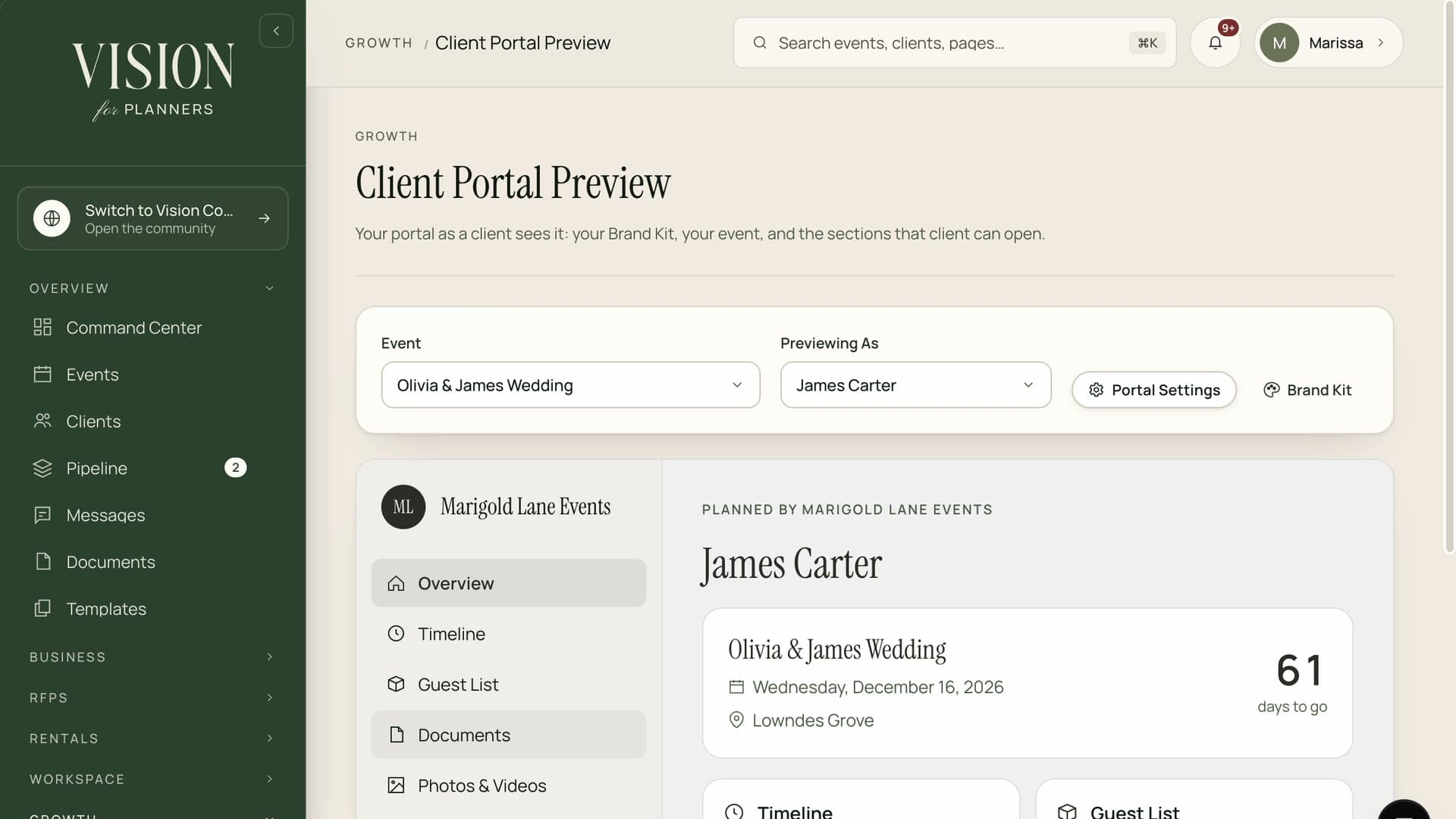
See the Portal in Action.

What your clients see: their event, their documents and their payments, under your brand.

Vision · Client portal
  • Your brand
  • Sign and pay
  • One place
The first impression

The portal is where clients decide whether you are as organized as you promised.

Most clients meet your software before they meet your standards. Make sure it speaks for you.

Two views, one record

What They See. What You See.

The portal and your workspace read from the same event, so nothing a client sees is ever out of step with what your team knows.

The client view

Calm, clear and on brand

A single home for progress, paperwork and conversation.

  • Progress and milestones at a glance
  • Sign, pay and complete forms in one place
  • Messages that stay with the event
Setup · 4 of 5 done
  • Brand kit uploaded
  • Team invited
  • Clients imported
  • First contract sent
  • Portal opened
Your view

Everything, with the controls

The whole operation behind the portal, visible only to your team.

  • Internal notes clients never see
  • Tasks, files and money for every event
  • Roles that limit what staff can open
Today · Workspace
Events
7
Tasks due
12
Unpaid
$8.4k
  • Confirm florist delivery window
  • Send final headcount to caterer
  • Review seating with venue
A moodboard laid out on a pale desk
White label

It Looks Like You, All the Way Through.

Upload your logo, set your palette and choose how the portal greets your clients. Invitations, emails and the portal itself all carry your identity from the first click.

  • Your logo, colors and typography throughout
  • Branded invitations and notification emails
  • A welcome message written in your voice
  • Your own sign in page for clients
Inside the portal

One Place Instead of Forty Emails.

01Overview

Progress at a glance

A clear view of what is done, what is next and what needs the client, with no guessing and no chasing.

02Complete

Forms and questionnaires

Collect details, preferences and approvals in structured forms rather than scattered replies.

03Share

Documents and files

Floor plans, mood boards and menus in one tidy library the client can return to.

04Sign

Contracts and e-signature

Send, sign and countersign in the portal. Signed copies are filed automatically.

Venue agreement · Awaiting signature
Client signature
Sign
05Pay

Invoices and online payment

Clients see what is due and pay in a few taps. You see it settle.

Budget · Hartley Wedding
Spent of $62,000
$48,900
On plan
  • Venue$18,400
  • Catering$22,200
  • Florals$4,800
  • Music$3,500
06Talk

Messages that stay put

Conversations live with the event, so anyone on your team can pick up where another left off.

Inviting a client

From Invitation to Fully Engaged.

  1. 1

    Set up your brand once

    Logo, colors and welcome message are saved for every portal you open.

  2. 2

    Create the client and the event

    Add the details and choose what the client is allowed to see.

  3. 3

    Send the invitation

    The client receives a branded email and creates their access in a minute.

  4. 4

    Share, request and collect

    Send contracts, invoices and forms from the same place, and watch them come back complete.

  5. 5

    Keep them in the loop

    Milestones update as you work, so the client always knows where things stand.

Boundaries

Open Where It Helps, Closed Where It Matters.

Internal notes

Private by default. A client can never open them, even by accident.

Budgets and costs

Share a summary if it helps the relationship. Keep the working figures to yourself.

Team activity

Clients see the progress, not the scramble. You decide how much of the work shows.

Questions

Portal Questions.

Support@myeventvision.com
Do clients need to download anything?

No. The portal works in any browser on a phone or a computer.

Can I control what each client sees?

Yes. Choose per client and per event which modules are visible, from documents to payments.

Can couples share access with a partner or parent?

Yes. Invite more than one person to the same portal, each with their own login.

Does the portal carry my domain?

Your brand appears throughout. Ask us about a custom domain for the portal during the founding access conversation.

Make Space for the CreativityThat Makes Your Work Exceptional.

The Founding Planner Beta is open. Early access, direct input on what gets built, and pricing locked in before public launch.

Empowering the people behind extraordinary events