














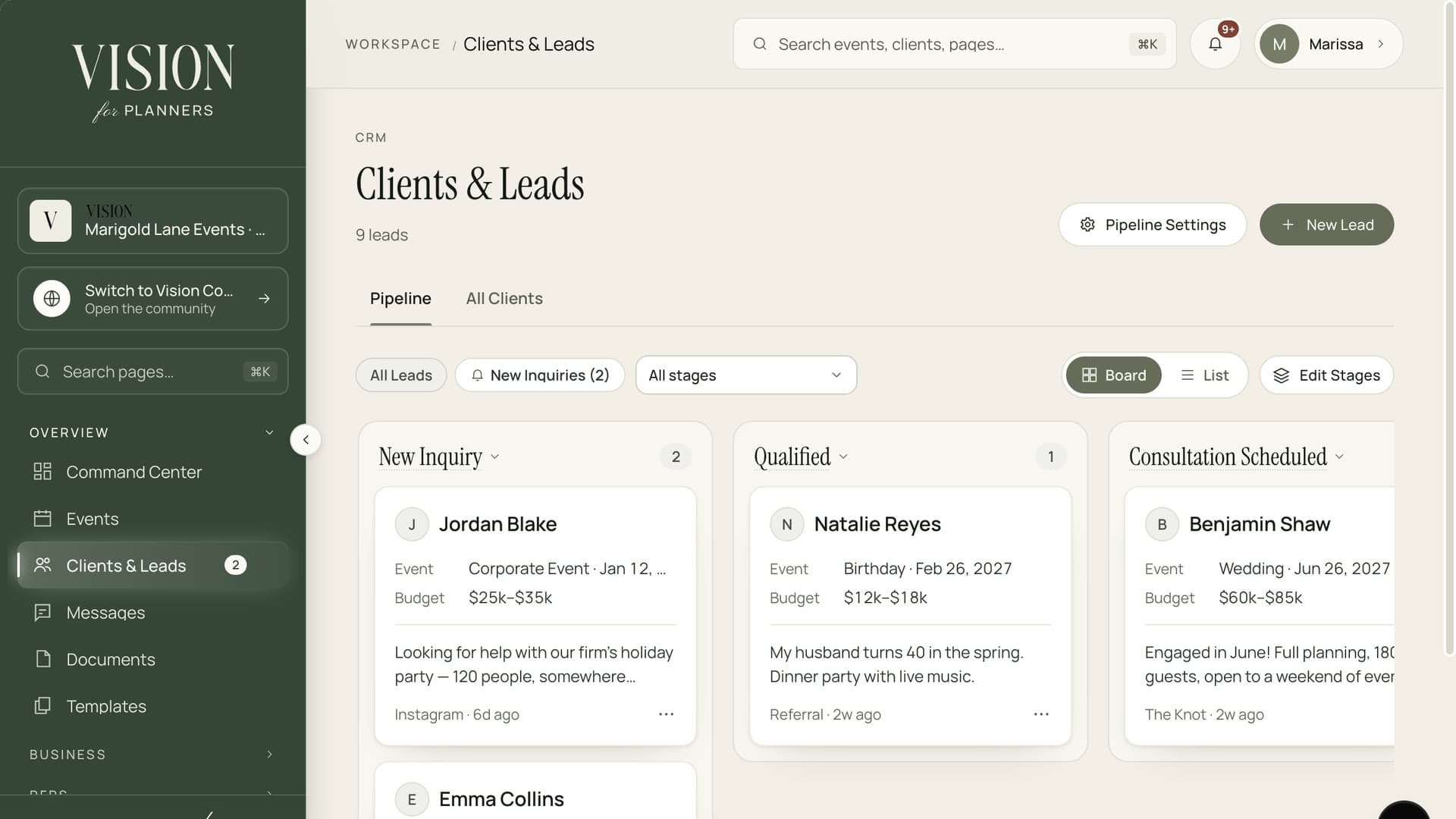
01Pipeline
A board for every inquiry
Move leads from new inquiry to booked. Set an automatic email for any stage so the first reply never waits on you.
A pipeline for the people who are asking and a profile for the people who booked. Contacts, events, contracts, billing and notes sit together, so nothing lives in your inbox.
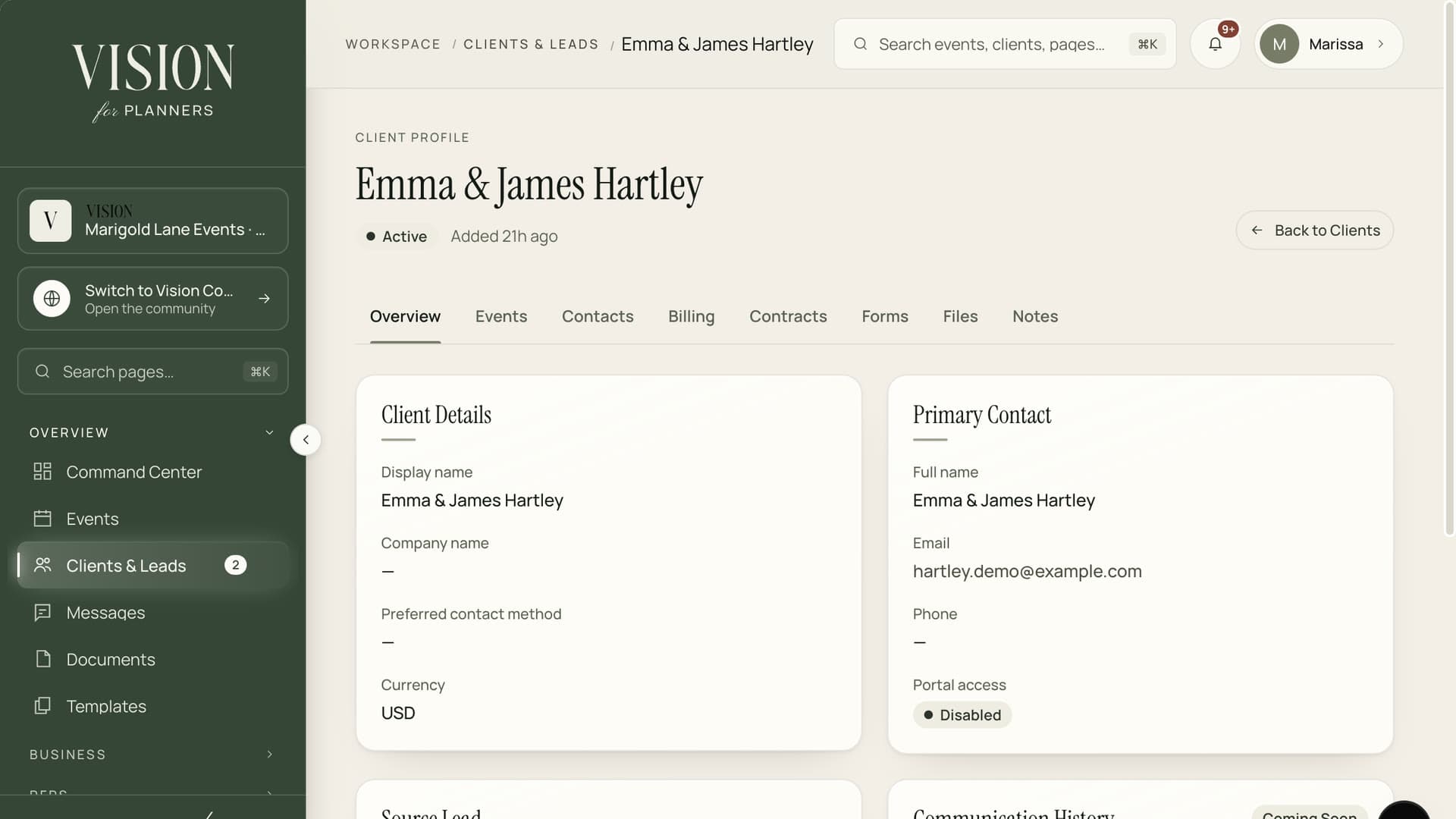
From a new lead to a booked client, with every conversation on one profile.
A client is more than a name in a spreadsheet.

Inquiries in one inbox, contracts in a folder, payments in a bank app. The full picture exists only in your head.
Move leads from new inquiry to booked. Set an automatic email for any stage so the first reply never waits on you.
Contacts, events, billing, contracts, forms, files and notes on a single profile, with the history that came before.
Request a retainer from a lead before they are booked. They pay through a secure link, with no account to create.
Keep several contacts per client and decide which of them can sign in to the client portal.
Private notes and shared files stay with the client, so a teammate can pick up where you left off.
Invite a booked client to a portal with their timeline, contracts and invoices under your name.

A lead becomes a client without retyping a thing. Their details, the conversation and the retainer carry across, ready for the first event.
Add a lead and drop it into the first stage of your pipeline.
Drag it through your stages. Automatic emails go out when it enters one.
Send a payment request from the lead and watch it land on the record.
Convert to a client, attach the event and invite them to their portal.
Yes. Name the stages to match how you work, and set an optional automatic email for any of them.
No. They receive a link, pay by card through Stripe Checkout and the payment appears on the lead's record.
Yes. Add as many contacts as you like and choose which of them get portal access.
Access follows the role you give each teammate, so you decide who can view, edit or send.

The Founding Planner Beta is open. Early access, direct input on what gets built, and pricing locked in before public launch.
Empowering the people behind extraordinary events